

- Copyscape Plagiarism Checker Review – My Honest Take - January 23, 2026
- 250+ WordPress Statistics for 2026 - January 6, 2026
- 400+ B2B SEO Statistics for 2026 - January 5, 2026
Is Copyscape still the gold standard for original content? After 3 years of daily use, I’m sharing everything I’ve learned.
In this review, I put Copyscape’s detection accuracy and affordability to the test, just as I did with my previous AI tool comparisons.
We’ll dive into what makes it work, how much it really costs, and a few critical flaws that might be deal-breakers for your workflow.
Copyscape Review – Quick Summary
For those who need to skim, here’s a quick overview of how Copyscape performed across the four categories that matter most. Each section below goes into detail about my experiences and the results I observed.
| Category | How Copyscape performed | My rating |
|---|---|---|
| Plagiarism detection | Excellent at detecting verbatim or near‑verbatim text from the web. It checks content against a vast online database and reliably flags copied passages. | ⭐⭐⭐⭐⭐ |
| Ease of use | Incredibly simple, with a minimalist interface. You paste or upload text and click the button—no tutorials needed. | ⭐⭐⭐⭐⭐ |
| Affordability | Pay‑as‑you‑go model keeps costs low for occasional checks; you pay $0.03 per 200 words. Credits last a long time if you only run sporadic scans. | ⭐⭐⭐⭐⭐ |
| Customer support | Responsive and flexible. My credits expired multiple times over three years and each time support extended the validity after a quick email. Five stars for helpfulness. | ⭐⭐⭐⭐⭐ |
| User interface & reporting | Functional but dated. Results come as a list of matching pages, without similarity percentages or color‑coded highlights. You have to click through each link to see the copied text. | ⭐⭐⭐ |
Prefer a quick overview instead of reading the full article? This 3-minute video highlights the key points covered in the blog.
1. Plagiarism Detection – Does Copyscape Detect Copied Content?
When it comes to detecting plagiarized content, Copyscape does what it promises. The tool scours the open web and compares your text against live pages, making it ideal for blogs and websites.
In my testing, I pasted sections from previously published articles into Copyscape and ran a search. The tool quickly returned a list of matching pages and correctly flagged every instance of duplicated text.
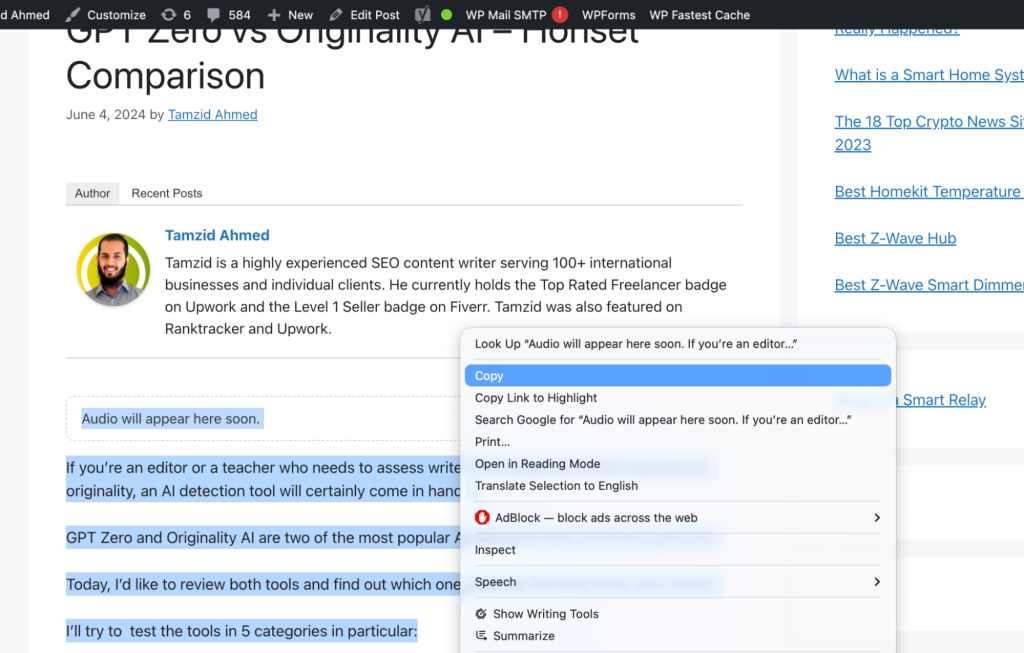
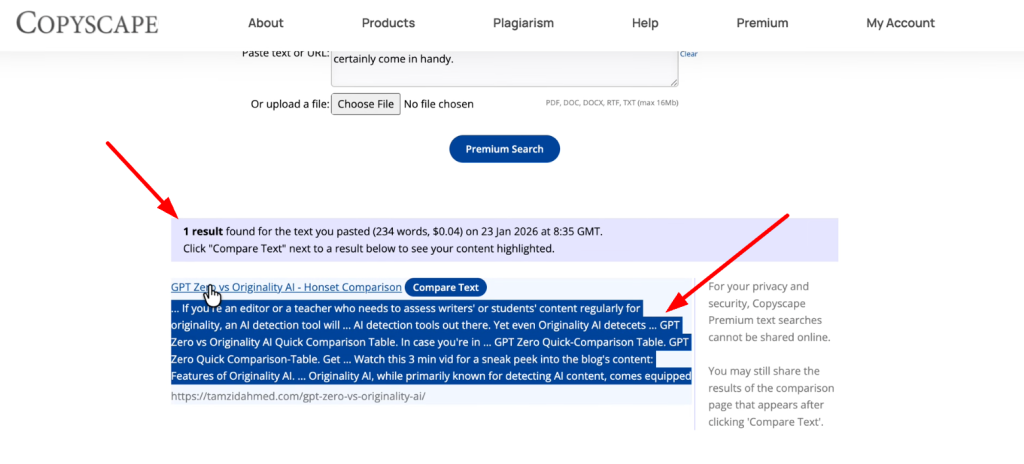
I then tested a blog post published roughly 2 hours earlier, and Copyscape successfully identified copied content from Cybernews, confirming fast indexing coverage.
Here’s a screenshot showing Copyscape identifying plagiarized paragraphs:
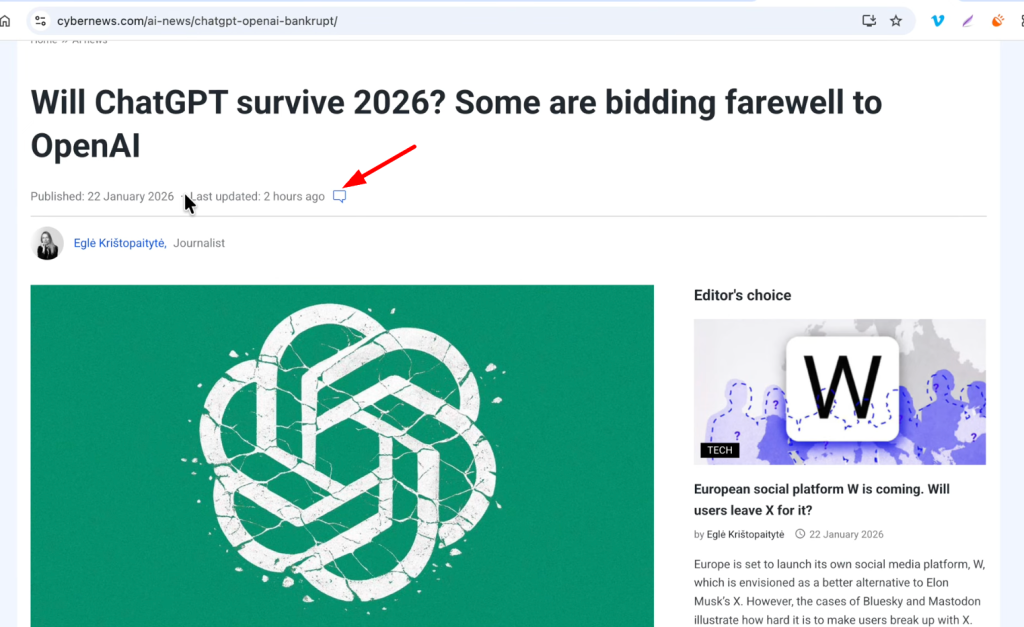
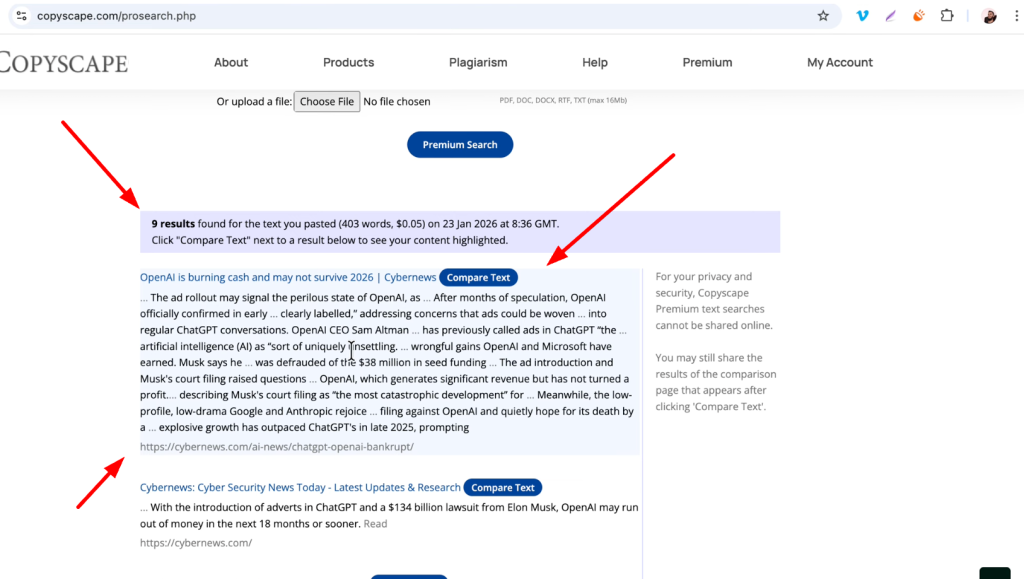
Based on these tests, Copyscape Premium consistently detects plagiarism in older and newly published content, making it a reliable option for checking originality before and after publication.
Copyscape detects exact and near-exact copied text but does not detect advanced paraphrasing or AI rewrites. For protecting my blog from direct content theft, this level of detection was sufficient, and I rated it five stars.
2. Ease Of Use – Paste, Click And Done
One of the main reasons I keep returning to Copyscape is its simplicity. Unlike some modern plagiarism tools that cram dozens of features into the dashboard, Copyscape gives you a single text box. You paste your text or enter a URL and click “Scan Now” that’s it. There’s no steep learning curve, and no tutorials required.
Here’s a screenshot of the minimalist Copyscape dashboard:
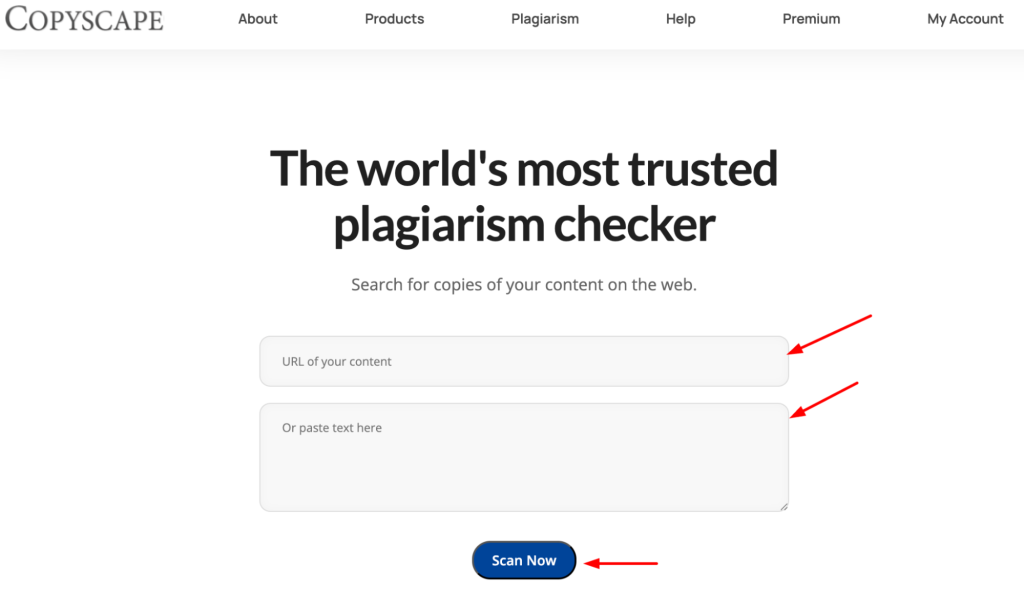
The results are straightforward as well: Copyscape provides a list of pages where your content appears. You’ll need to click each link to confirm the match, but there’s no clutter or confusing graphs. This bare‑bones design keeps the user experience smooth, and because there are no unnecessary buttons, it loads quickly on any device.
3. Affordability – Pay Only For What You Use
Copyscape operates on a pay‑as‑you‑go model. Instead of charging a monthly subscription, it deducts credits each time you run a search.
The rate is about $0.03 for every 200 words scanned, which makes it one of the most cost‑effective plagiarism checkers on the market. As someone who paid $80 in credits 3 years ago in 2022, I still have a few dollars left after hundreds of checks. If you only check content occasionally, those credits last ages.
Here’s a screenshot of my Copyscape balance after multiple years of use:
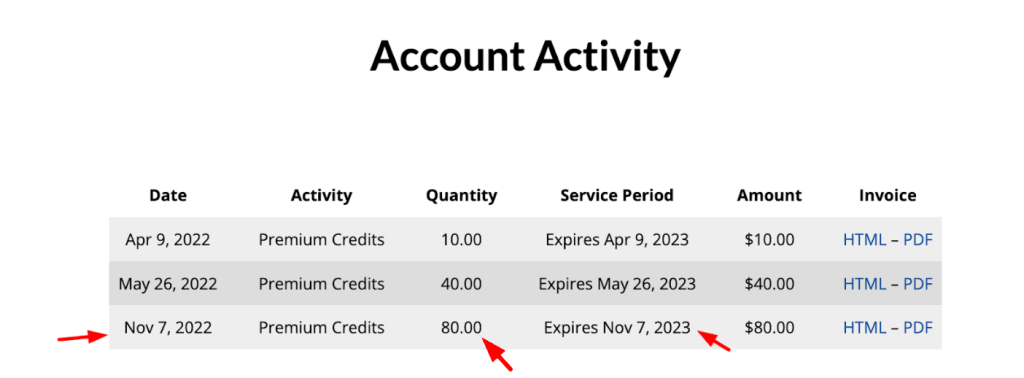
This pricing structure benefits freelancers and small agencies who don’t need an unlimited plan. You can run an occasional batch of posts without worrying about recurring charges. However, heavy users or academic institutions might find the per‑search model less flexible than subscriptions offered by newer tools.
4. Customer support – Responsive and Flexible
You can check my Copyscape Support Review Video if you don’t wanna go through all the messy texts 😀
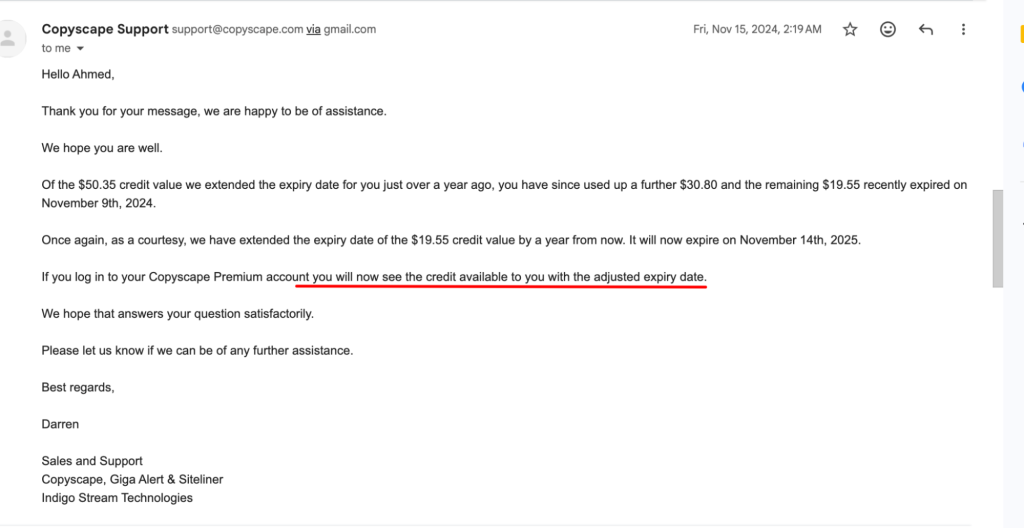
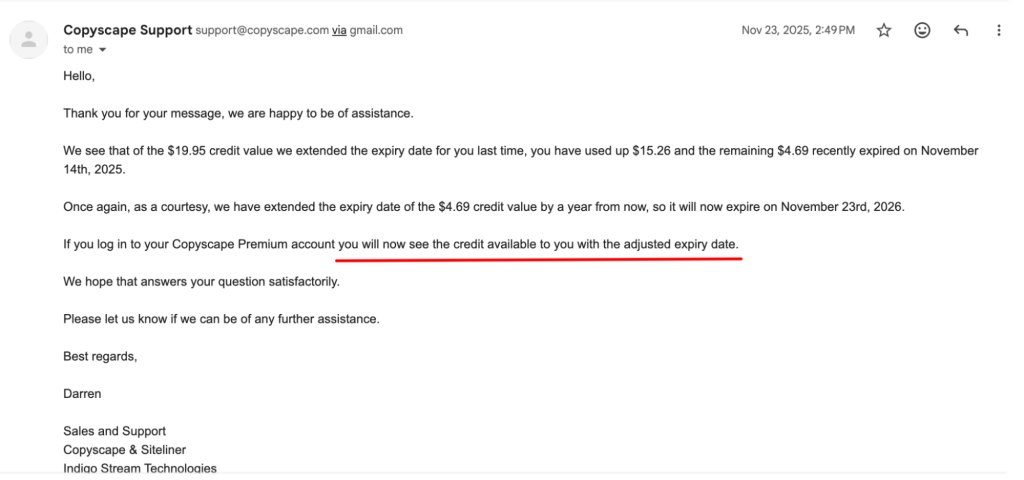
While support might not be a deciding factor for everyone, Copyscape’s team impressed me. My credits technically expired after a year in 2023, as you can see in my previous screenshot. So I reached out to ask for an extension. Within a day, they reactivated my remaining balance. This happened every year for three years; 2023, 2024 and 2025.
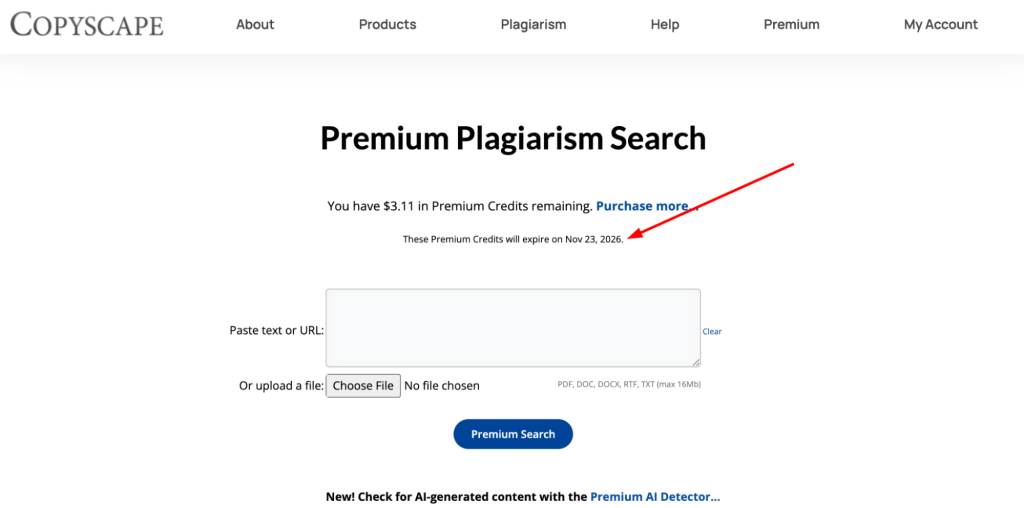
Each time I sent a polite email, they renewed my credits without fuss. That kind of responsiveness is rare among SaaS products, and it’s one of the reasons I’m comfortable recommending Copyscape to others.
Just look at how promptly they reinstated my credits in 2023:
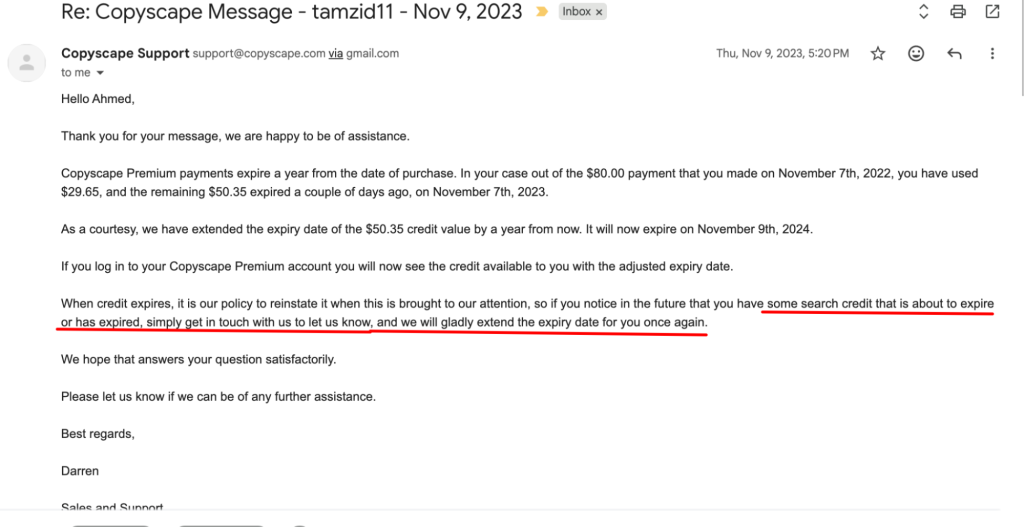
And in 2024:
Aaand in 2025:
5. What Could Be Improved?
No tool is perfect, and Copyscape is showing its age in a few areas.
Outdated Interface
Copyscape’s interface hasn’t changed much in years. Reviewers note that while it works, the design feels dated compared to modern plagiarism checkers. There are no interactive graphs or side‑by‑side comparisons; it’s just a list of URLs. This can make the tool look unappealing, especially if you’re used to colorful dashboards.
Limited Reporting
Copyscape doesn’t provide similarity percentages or visual highlights. Instead, it lists matching pages and leaves you to verify the plagiarized passages. In practice, this means clicking through each link and manually locating the copied text. While the process is logical, it can be tedious when multiple sources are involved.
Should You Use Copyscape?
After testing Copyscape and comparing it against newer alternatives, my verdict is clear: if your primary goal is to protect web content from blatant copying and you value a simple, affordable tool, Copyscape is still a solid choice. Its pay‑per‑use pricing and long‑standing reputation make it perfect for bloggers, small agencies and SEO professionals.
My Final Judgment on Copyscape
My final judgment after using Copyscape is a rating of 5 out of 5 because the tool performs exactly as intended and delivers consistent, accurate plagiarism detection.
I did not encounter any material weaknesses during use, and any minor limitations fall within the range that exists across all comparable tools. In practical testing, Copyscape proved highly reliable at identifying previously published content and flagging genuine duplication without unnecessary noise.
Based on accuracy, clarity of results, and ease of use, Copyscape stands among the most accurate plagiarism checking tools available today, and I confidently recommend it to anyone who needs to verify originality in articles or written content.
- Read my QuillBot AI review for more in-depth tool evaluations.
- Explore my GPTZero vs Originality AI comparison guide for a side-by-side breakdown.
The Plagiarism Checker from Undetectable.ai is really helpful for avoiding accidental plagiarism, especially when researching a lot.